
If you’ve been hearing the term “IPTV” more and more lately, you’re not alone. Millions of people around the world are ditching cable and satellite subscriptions in favor of IPTV services. But what is IPTV, exactly? How does it work? Is it legal? And how does it compare to traditional TV, satellite, and OTT platforms?
This comprehensive guide answers every question you might have about IPTV — from the basics of IPTV technology to advanced topics like adaptive bitrate streaming, EPG, DVR, and IPTV encoders. Whether you’re a curious viewer or someone looking to start an IPTV business, you’ve come to the right place.
What is IPTV?
IPTV stands for Internet Protocol Television. In simple terms, it is a method of delivering television content over the internet using the Internet Protocol (IP) — the same underlying technology that powers websites, email, and video calls — instead of traditional broadcast methods like cable wires or satellite signals.
Unlike conventional TV, which pushes a fixed schedule of channels to every viewer simultaneously, IPTV sends only the content you specifically request, directly to your device, on demand. This fundamental shift makes IPTV far more flexible, interactive, and personalized than anything cable or satellite can offer.
With an IPTV service, you can watch:
- Live TV channels — just like traditional television
- Video on Demand (VOD) — movies and shows whenever you want
- Time-shifted TV — catch-up or pause live television
- Pay-Per-View (PPV) — premium events like boxing, UFC, or football
IPTV works on smart TVs, smartphones, tablets, computers, Amazon Firestick, Android TV boxes, and dedicated IPTV set-top boxes.
How Does IPTV Work?
Understanding IPTV technology starts with understanding how content is delivered from a source to your screen.
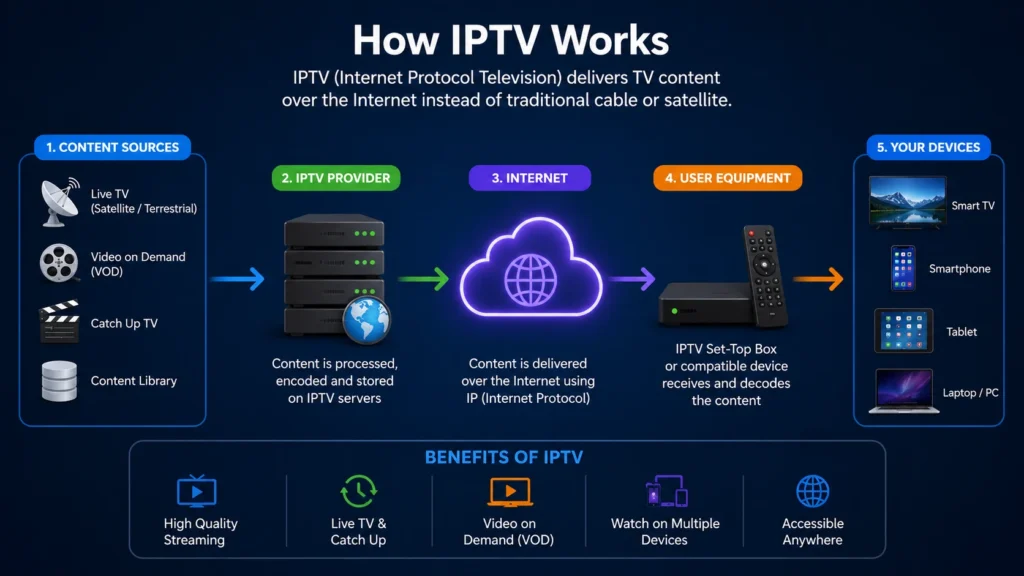
Here is the step-by-step process:
Step 1 — Content Acquisition: The IPTV provider acquires TV content from broadcasters, studios, or satellite feeds.
Step 2 — Encoding: The raw video is compressed and encoded into a digital format (typically H.264 or H.265/HEVC) using an IPTV encoder to make file sizes manageable without sacrificing quality.
Step 3 — Middleware & Server: The encoded content is uploaded to powerful servers with IPTV middleware — software that manages user authentication, channel lists, EPG (electronic program guide) data, and VOD libraries.
Step 4 — Content Delivery Network (CDN): The content is distributed across a CDN to ensure fast, reliable delivery no matter where you are in the world.
Step 5 — User Device (Client): When you press play, a data stream is sent over your broadband internet connection directly to your device or IPTV box. The stream is decoded and displayed on your screen in real time.
The key difference from traditional broadcasting is that content travels as IP packets — small chunks of data — through your internet connection, rather than as analog or digital signals over a cable or satellite dish.
A typical IPTV stream requires a minimum internet speed of 10–25 Mbps for HD content and 25–50 Mbps for 4K Ultra HD streams.
Types of IPTV Services
IPTV technology supports several different content delivery models:
Live IPTV
This replicates traditional TV broadcasting. Channels are streamed in real time, so you watch programs as they air — sports events, news channels, entertainment, and more.
Video on Demand (VOD)
VOD allows users to browse a library of movies, TV series, and documentaries and watch them at any time. This is similar to Netflix or Amazon Prime but delivered through an IPTV platform.
Time-Shifted IPTV (Catch-Up TV)
Time-shifting lets users watch content that was broadcast earlier — typically within the last 7 to 30 days. You can start a program from the beginning even if it has already started airing, or replay last night’s match.
Near Video on Demand (nVOD)
nVOD streams a popular title at staggered intervals (e.g., every 15 minutes) so that users can join without waiting long. It’s common for pay-per-view sporting events and movie premieres.
IPTV vs. Traditional TV
When comparing IPTV vs. traditional TV, the differences are striking:
| Feature | IPTV | Traditional TV (Cable/DTT) |
|---|---|---|
| Delivery Method | Internet (IP packets) | Cable wire or antenna (RF signals) |
| Content Flexibility | On-demand, live, time-shifted | Mostly live, fixed schedule |
| Channel Count | Thousands of channels globally | Limited to local/regional packages |
| Interactivity | High (pause, rewind, VOD) | Low |
| Device Compatibility | Any internet-connected device | Requires a TV set or set-top box |
| Cost | Generally lower | Higher monthly fees |
| Geographic Restrictions | Can bypass with VPN | Strictly regional |
Traditional TV is a one-to-many broadcast: the provider sends one signal to all viewers at once. IPTV is a one-to-one unicast: content is streamed individually to each user, meaning what you watch and when is entirely your choice.
For viewers comparing options, we’ve published detailed reviews on the Best IPTV Service providers available today.
IPTV vs. Satellite TV
IPTV vs. satellite TV is another common comparison, especially for viewers in regions with limited cable infrastructure.
| Feature | IPTV | Satellite TV |
|---|---|---|
| Infrastructure Required | Broadband internet | Satellite dish + receiver |
| Weather Dependency | Minimal | High (rain/wind disrupts signal) |
| Installation | Simple (app/box) | Professional dish installation |
| Content Flexibility | Live + VOD + Catch-up | Mostly live |
| Global Access | Anywhere with internet | Coverage varies by satellite |
| Cost | Lower (no dish/equipment) | Higher setup costs |
IPTV wins on flexibility and ease of use. Satellite TV still holds an advantage in areas with very poor internet infrastructure, but as broadband coverage expands globally, IPTV is rapidly displacing satellite subscriptions. For region-specific IPTV alternatives, check out our guides on the Best IPTV for South Africa and the Best IPTV for Saudi Arabia.
IPTV vs. OTT
The terms IPTV and OTT (Over-the-Top) are frequently confused with each other, but they are not the same thing.
OTT refers to streaming services delivered “over the top” of an existing internet connection, without involvement from the network provider. Netflix, Disney+, and YouTube are OTT services.
IPTV is a managed service — the provider controls both the network and the content delivery, ensuring quality of service (QoS). IPTV providers use a dedicated, controlled network, while OTT relies on the public internet.
| Feature | IPTV | OTT |
|---|---|---|
| Network | Managed/dedicated | Public internet |
| Quality Control | High (guaranteed QoS) | Variable |
| Content Type | Live TV + VOD | Mostly VOD |
| Provider | Telecom operators / IPTV providers | Streaming companies |
| Subscription Model | Monthly IPTV plan | Individual streaming subscriptions |
In practice, modern IPTV services often blur this boundary by using CDN-based delivery while still offering a managed experience with thousands of live channels, VOD libraries, and EPG data.
IPTV vs. Internet TV
Internet TV is a broad term that refers to any video content watched over the internet — including YouTube, Twitch, and OTT apps. IPTV is a specific, structured service with organized channel lists, EPG data, and often thousands of live TV channels packaged into a subscription.
Think of it this way: all IPTV is internet TV, but not all internet TV is IPTV. IPTV is more organized, more comprehensive, and more TV-like in its experience.
VOD vs. IPTV
VOD (Video on Demand) is actually a feature of IPTV, not a separate technology. When comparing VOD vs. IPTV:
- IPTV is the broader platform and delivery system — it includes live TV, EPG, DVR features, and VOD.
- VOD refers specifically to on-demand content within the IPTV platform.
A good IPTV service will include both a robust live TV channel lineup and a rich VOD library with thousands of movies and series. The best IPTV providers offer both seamlessly within the same app or set-top box interface.
What is an IPTV Box?
An IPTV box (also called an IPTV set-top box or IPTV receiver) is a dedicated hardware device that connects to your TV and your internet router to stream IPTV content on your television screen.
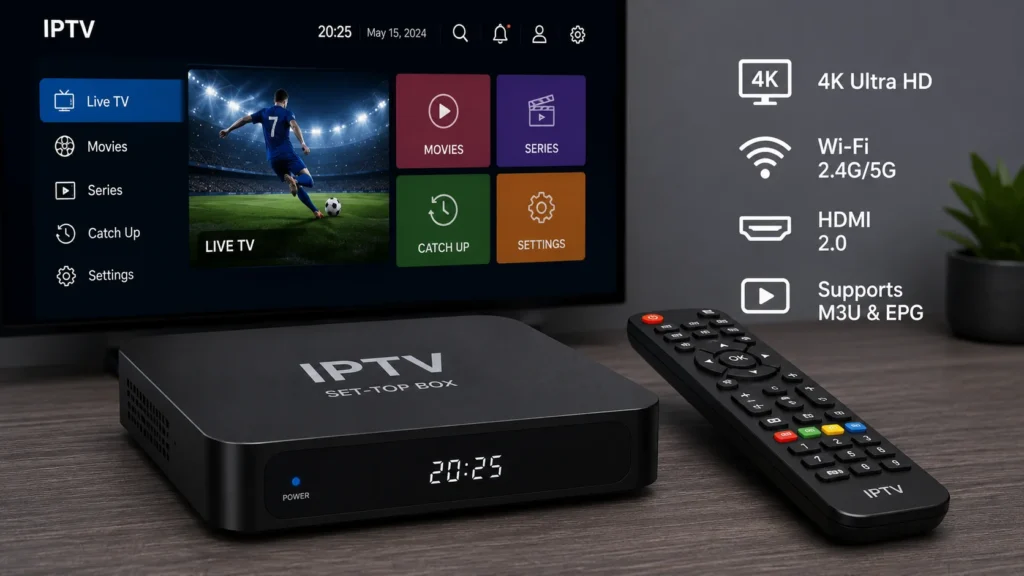
IPTV boxes typically run Android TV or a proprietary operating system, and they come with a remote control, HDMI output, and support for 4K HDR streaming.
Popular IPTV boxes include:
- MAG boxes (by Infomir) — one of the most popular IPTV set-top boxes worldwide
- Formuler Z series — well-known for their IPTV-dedicated MyTV Online app
- BuzzTV boxes — popular in North America
- Android TV boxes — versatile boxes that support IPTV apps like TiviMate, IPTV Smarters, and GSE Smart IPTV
If you prefer a streaming stick over a full box, IPTV works great on Amazon Firestick. See our guide on the Best IPTV for Firestick for setup instructions and provider recommendations.
What is an IPTV Receiver?
An IPTV receiver is functionally the same as an IPTV box — it’s a device (hardware) that receives the IPTV stream from the provider’s server and decodes it for display on your TV. The term “receiver” is often used interchangeably with “set-top box.”
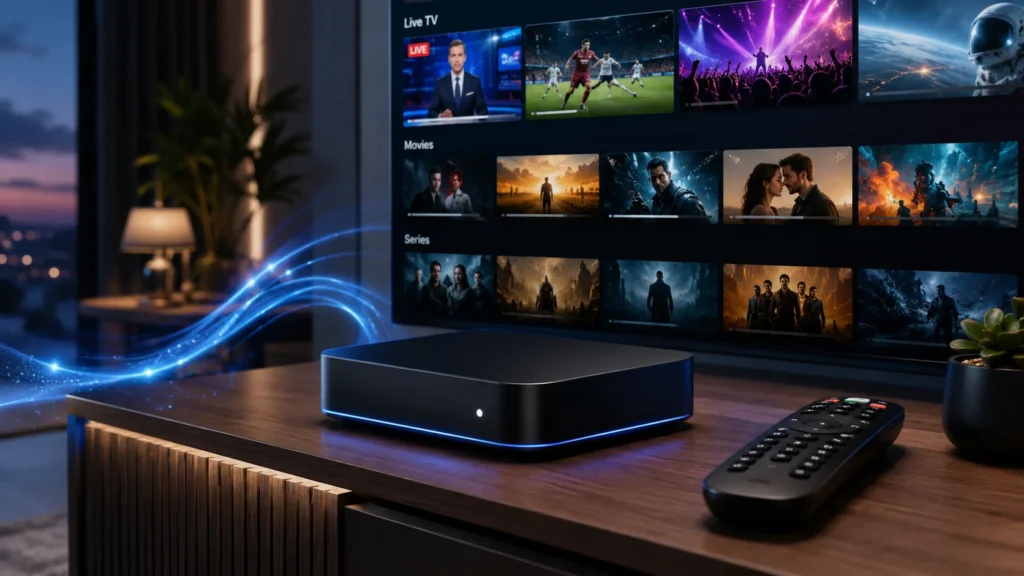
The receiver handles:
- Authentication — verifying your IPTV subscription
- Stream decoding — decompressing the H.264/H.265 video data
- EPG data — fetching and displaying the electronic program guide
- Buffering management — working with anti-freeze technology for smooth playback
Higher-end IPTV receivers also support Dolby Audio, 4K/8K resolution, and multiple simultaneous streams for households with more than one viewer.
What is an IPTV Encoder?
An IPTV encoder is a device or software application used on the provider side of the IPTV ecosystem, not the viewer side.
The encoder takes a raw video source — from a camera, satellite feed, or broadcast signal — and converts it into a digital format (such as H.264, H.265, or MPEG-2) that can be streamed efficiently over the internet.
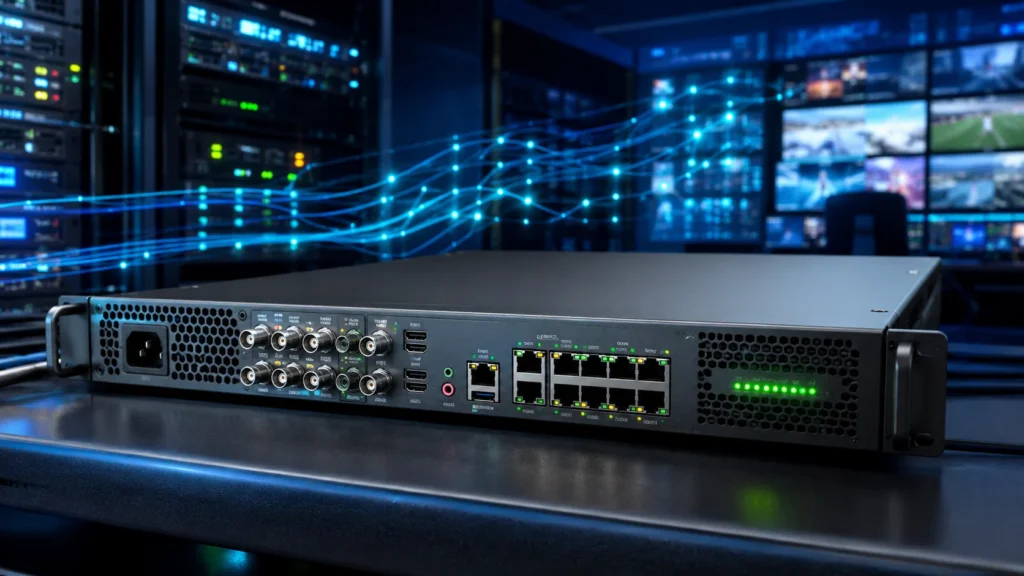
Without encoding, raw video files would be enormous and impossible to stream in real time over a standard broadband connection. Encoders compress the data while maintaining video and audio quality to acceptable levels.
Hardware encoders (like the Haivision, Osprey, or Kiloview range) are used by professional broadcasters and large IPTV operators. Software encoders (like OBS, FFmpeg, or Wowza) are used by smaller providers and content creators.
What is an M3U in IPTV?
M3U is a file format used to create playlists of multimedia content. In the context of IPTV, an M3U IPTV file (or M3U playlist) is a text file that contains a list of streaming URLs — each one pointing to a live TV channel or VOD content on a server.
A typical M3U IPTV file looks like this:
#EXTM3U
#EXTINF:-1 tvg-name="BBC One" tvg-logo="https://example.com/bbc1.png" group-title="UK",BBC One
http://stream.provider.com:8080/live/username/password/1234.ts
Each line includes the channel name, logo, category, and the direct streaming URL. IPTV apps like TiviMate, VLC, IPTV Smarters, and GSE Smart IPTV can load M3U playlists to display your channel list.
Some users search for IPTV M3U GitHub repositories — public playlists shared by communities. While these exist, be aware that free public M3U playlists are often unstable, low quality, or contain unauthorized content. A paid IPTV subscription always provides a private, stable M3U URL.
IPTV URL: M3U vs. MAC Address
When you subscribe to an IPTV service, your provider will give you login credentials in one of two formats:
M3U URL
A direct link to your personal M3U playlist. You paste this URL into any compatible IPTV app. It looks something like:
http://yourprovider.com:8080/get.php?username=USER&password=PASS&type=m3u_plusMAC Address
Some IPTV boxes — especially MAG boxes and Formuler devices — use a MAC address (the unique hardware ID of your device) to authenticate your subscription instead of a username/password combination. You simply register your device’s MAC address with the provider, and the box automatically loads your channel list when it connects.
| Feature | M3U URL | MAC Address |
|---|---|---|
| Compatible Apps | Any IPTV app (TiviMate, Smarters, VLC, etc.) | MAG boxes, Formuler, Enigma2 |
| Security | Linked to credentials | Linked to hardware |
| Portability | Works on any device | Device-specific |
| Ease of Use | Very easy | Easy with compatible hardware |
Most providers support both formats. Choose M3U if you want flexibility across multiple devices; choose MAC address if you primarily use a dedicated IPTV box.
What is EPG in IPTV?
EPG stands for Electronic Program Guide. It is the interactive on-screen TV guide that shows you what is currently airing, what’s coming up next, and the full schedule for each channel — similar to the channel guide on a cable or satellite TV system.
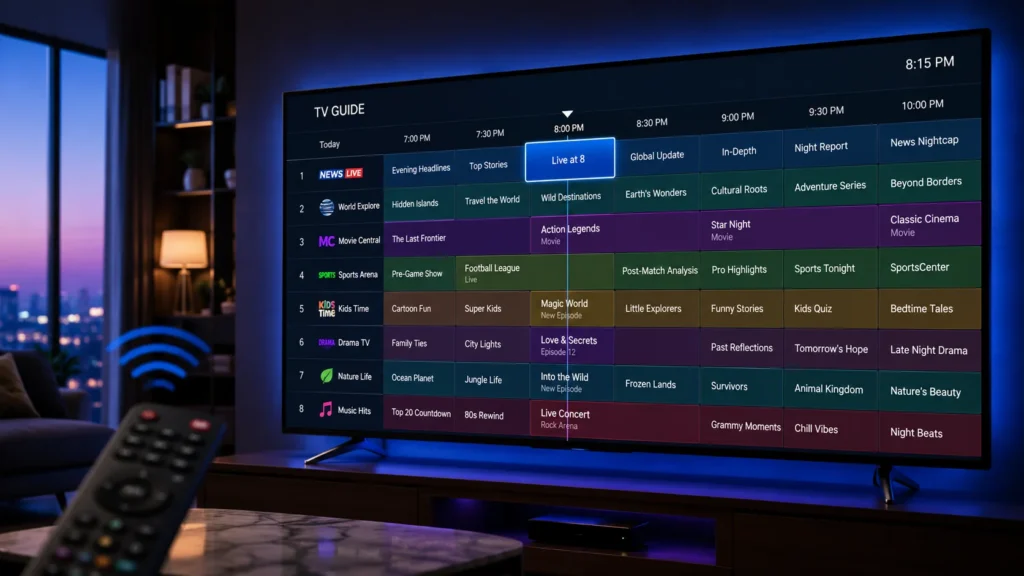
In IPTV, EPG data is delivered separately from the video stream, usually via an XML file (XMLTV format) or through the middleware. When your IPTV app loads the EPG, it populates the channel grid with program names, descriptions, start times, and end times.
A good EPG is essential for:
- Knowing what’s on without having to search manually
- Setting DVR recordings for upcoming programs
- Using Catch-Up TV to find recently aired shows
Not all IPTV providers offer EPG data, and the quality can vary significantly. Premium IPTV services include a comprehensive, accurate EPG updated in real time.
What is DVR in IPTV?
DVR stands for Digital Video Recorder. In the context of IPTV, a DVR in IPTV allows you to record live TV broadcasts to a storage medium — either a hard drive in your IPTV box or cloud storage on the provider’s server — so you can watch them later.
There are two types of DVR in IPTV:
Local DVR
Your IPTV box has a built-in hard drive (or supports an external USB drive), and you schedule recordings directly on the device. The recorded files are stored locally.
Cloud DVR (nPVR)
The provider’s server records the content on your behalf, and you access your recordings from any device at any time. This is more convenient but depends on the provider offering the feature.
DVR in IPTV works alongside the EPG — you browse the program guide, find a show you want to record, and press the record button. The system handles the rest.
What is Adaptive Bitrate Streaming?
Adaptive Bitrate Streaming (ABR) is a technology that automatically adjusts the quality of a video stream in real time based on your current internet connection speed and device capabilities.
Here’s how it works: instead of sending one fixed-quality stream, the IPTV server encodes the same content at multiple quality levels (e.g., 480p, 720p, 1080p, 4K). The IPTV player on your device constantly monitors your connection speed and seamlessly switches between these quality tiers.
- Fast connection → High bitrate, 1080p or 4K stream
- Slower connection → Lower bitrate, 720p or 480p stream
- Connection drops → Temporary downgrade to prevent buffering
This means you get the best possible picture quality your connection can support at any given moment, without manual adjustment. ABR is used in all major IPTV and streaming platforms, typically implemented through protocols like HLS (HTTP Live Streaming) or MPEG-DASH.
For users with unstable connections, adaptive bitrate streaming significantly reduces buffering and improves the overall viewing experience.
What is Anti-Freeze Technology in IPTV?
Anti-freeze technology in IPTV refers to a set of software and server-side techniques designed to prevent the stream from freezing, buffering, or stuttering during playback.
Common anti-freeze methods include:
- Buffer Management: Preloading a few seconds of video ahead of what is currently playing, so brief network interruptions don’t cause visible freezing.
- Stream Redundancy: Routing your stream through multiple servers so that if one fails, playback automatically continues from a backup server without interruption.
- CDN Load Balancing: Distributing server load across a global CDN to ensure no single server becomes overwhelmed during peak viewing times (such as a major football match).
- Adaptive Bitrate Switching: Reducing stream quality temporarily instead of freezing entirely when bandwidth drops.
- Anti-Freeze Plugins/Middleware: Some IPTV middleware platforms include proprietary anti-freeze algorithms that optimize packet delivery for live TV streams.
Anti-freeze technology is one of the most important quality differentiators between budget IPTV services and premium providers. For sports lovers who cannot afford freezing during a crucial match, look for providers that explicitly advertise anti-freeze or anti-buffering technology. See our guide to the Best IPTV for Sports and Best IPTV for Premier League for top recommendations.
Is IPTV Legal?
This is one of the most searched questions about IPTV, and the answer is: it depends.
Legal IPTV
IPTV as a technology is completely legal. Many legitimate, fully licensed IPTV services operate lawfully by acquiring the proper broadcasting rights for every channel and piece of content they offer. Examples include:
- Sling TV (USA)
- Hulu + Live TV (USA)
- BT TV / Sky Glass (UK)
- IPTV services from telecom operators worldwide
These are examples of legal IPTV providers that operate with full content licensing agreements.
Illegal IPTV
What is not legal is subscribing to an IPTV service that streams copyrighted channels, sports, and movies without holding the appropriate broadcast licenses. These are often marketed with suspiciously low prices (e.g., “1,500 channels for $10/month”) and offer premium content — Sky Sports, beIN Sports, HBO, etc. — without authorization from rights holders.
Using such services may expose you to legal consequences depending on your country’s copyright laws. In the UK, the USA, Canada, and EU, enforcement against illegal IPTV subscriptions has intensified in recent years.
Our advice: Always use a licensed, legal IPTV provider. We maintain an up-to-date list of Legal IPTV Providers to help you make an informed, safe choice.
IPTV Reseller: What You Need to Know
An IPTV reseller is a person or business that purchases IPTV subscriptions in bulk from a main provider (called a “panel provider”) at wholesale prices and then resells them to end users at a marked-up retail price.
IPTV reselling has become a popular side hustle and business model because:
- Low startup cost: No need to build your own streaming infrastructure
- Scalability: You can start with a small panel and grow your customer base
- Recurring revenue: Monthly subscription renewals provide consistent income
- White-labeling: Some providers allow resellers to brand the service as their own
As an IPTV reseller, you are given a reseller panel — a dashboard where you can create, manage, and renew subscriptions for your customers, set your own prices, and monitor usage.
Important: If you become an IPTV reseller, ensure the main provider you partner with is a legitimate, licensed service. Reselling an unlicensed IPTV service carries the same legal risks as using one.
The IPTV Business Opportunity
The global IPTV market is one of the fastest-growing segments in the media and entertainment industry. As cord-cutting continues to accelerate and broadband internet becomes more accessible worldwide, the demand for IPTV services is projected to keep growing strongly through the remainder of the decade.
Starting an IPTV business — whether as a reseller, a value-added service provider, or a full-scale IPTV operator — requires careful consideration of:
- Licensing: Securing proper content rights is non-negotiable for a sustainable business
- Technology Stack: Middleware, CDN, encoding, and playout infrastructure
- Customer Support: IPTV customers expect fast, reliable support
- Billing & Management: Subscription management tools for recurring billing
- Marketing: SEO, social media, and niche targeting (e.g., expat communities, sports fans)
The IPTV reseller model is the lowest-barrier entry point into the IPTV business, while building a fully licensed IPTV platform is a larger-scale investment with significantly higher long-term potential.
Finding the Best IPTV Service for You
With thousands of IPTV providers operating globally, finding the right one can feel overwhelming. Here’s what to look for:
Key Factors to Evaluate
- Channel count & quality (HD, Full HD, 4K)
- VOD library size
- EPG availability
- Uptime and stability
- Anti-freeze/anti-buffer technology
- Compatible devices
- Customer support responsiveness
- Free trial availability
We’ve done the hard research for you. Here are our dedicated regional and category guides:
- Best IPTV Service — Our overall top picks
- Best IPTV for the USA — Top providers for American viewers
- Best IPTV for the UK — Best options for UK channels and Premier League
- Best IPTV for Saudi Arabia — Arabic channels and regional sports
- Best IPTV for South Africa — Local and international channels
- Best IPTV for Brazil — Portuguese channels and Brazilian content
- Best IPTV for Belgium — French, Dutch, and German language options
- Best IPTV for Firestick — Setup and provider recommendations for Fire TV
- Best IPTV for Sports — For sports fans who need reliable, fast streams
- Best IPTV for Premier League — Never miss a match
- Best IPTV for FIFA World Cup — Global coverage for the biggest tournament
- Best Affordable IPTV — Great quality without breaking the bank
- IPTV Free Trial — Try before you buy
- Best Adult IPTV — For adult viewers (18+ only)
Frequently Asked Questions
What does IPTV stand for?
IPTV stands for Internet Protocol Television — a system for delivering television content over the internet using the IP protocol.
Do I need a special box for IPTV?
No. IPTV works on smartphones, smart TVs, tablets, PCs, Amazon Firestick, and IPTV boxes. However, a dedicated IPTV box offers the best TV-like experience.
How much internet speed do I need for IPTV?
At minimum, 10 Mbps for HD streaming. For 4K streaming, 25–50 Mbps is recommended. A stable, wired connection (Ethernet) is always better than Wi-Fi for IPTV.
Can I use IPTV on multiple devices?
Yes, most providers offer multi-connection plans that allow simultaneous streaming on 2, 3, or more devices under the same subscription.
What is the difference between IPTV and Netflix?
Netflix is an OTT VOD platform — it does not offer live TV. IPTV typically includes thousands of live TV channels plus a VOD library, making it a more complete television replacement.
Is there a free IPTV option?
Free public M3U playlists exist (often found on IPTV M3U GitHub repositories), but they are unreliable, often go offline, and may include unauthorized content. A paid subscription from a reputable provider is always the better choice. Many providers offer a free IPTV trial so you can test quality before committing.
What apps can I use for IPTV?
Popular IPTV apps include TiviMate, IPTV Smarters Pro, GSE Smart IPTV, Kodi (with IPTV Simple Client), Perfect Player, and OTT Navigator.
Conclusion
So, what is IPTV? It’s the future of television — a flexible, feature-rich, and cost-effective way to watch live TV, on-demand content, and everything in between, delivered directly over your internet connection.
From understanding the difference between IPTV and satellite TV to knowing what an EPG, DVR, M3U, or adaptive bitrate stream is, you’re now equipped with a comprehensive understanding of this transformative technology.
Whether you’re looking for the Best IPTV Service for your home, exploring an IPTV Free Trial, or considering the IPTV reseller business model, the world of IPTV has something for every type of viewer and entrepreneur.
Have questions about choosing the right IPTV provider for your country or device? Browse our in-depth guides linked throughout this article, or drop your question in the comments below.
Disclosure: Some links on this page may be affiliate links. We only recommend services we have thoroughly tested. Always use IPTV services that operate legally in your jurisdiction.